Skip to content
RoamChinaCHINA, CONNECTED
ROAMCHINA/CONNECTIONS / TRAVEL eSIM

Get your travel eSIM

Recommended for every visitor: for rides, maps, Google and WhatsApp, and as a backup when Wi-Fi lets you down. Pick a plan, then follow the steps below.

From US$0.20 / package · Choose data and daysAffiliate links and referral codes may earn us a commission or provider credit. Plan prices vary by provider.
Understand the cost. Follow the connection.
01

Three checks before you buy.

01

Is your phone compatible?

Check that your exact model supports eSIM and isn’t locked to your carrier. The same phone can differ by country, so check the model, not just the name.

02

Will it open Google and WhatsApp?

Check that it opens Google, WhatsApp and similar apps, whether you can share a hotspot, any speed limits, and whether it’s data-only (no Chinese phone number).

03

When do the days start counting?

Some plans start counting when you install, others when you first connect in China. Follow your plan’s instructions and screenshot your order.

First ask your carrier whether your plan already covers China. Phone doesn’t support eSIM or is locked? Ask about unlocking or roaming, or buy a physical travel SIM. Most eSIMs are data-only with no Chinese number, so keep your home number for verification texts. Apple’s travel eSIM guidance ↗
02

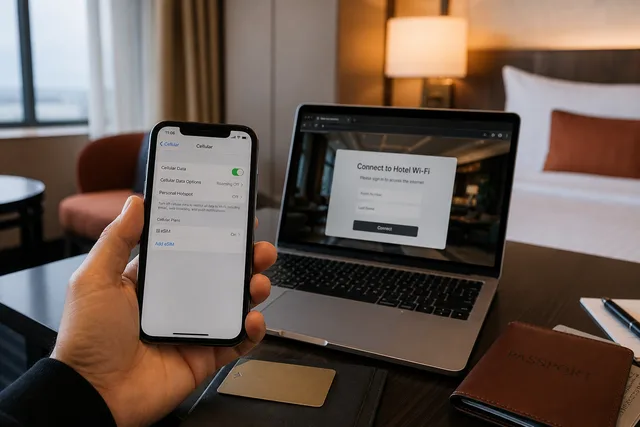
Your eSIM only works on mobile data — joining Wi-Fi switches you to a different connection.

THE HOTEL WI-FI SWITCH

eSIM works, but Wi-Fi doesn’t?

On Wi-Fi, your phone usually stops using the eSIM. If Google or WhatsApp stop working, turn Wi-Fi off. Want Google on hotel Wi-Fi too? Follow our guide to add a VPN app.

03

After installing, do these three things

01

Save it before you fly

Screenshot the install QR code, support link and activation steps. Keep your home SIM active for verification texts.

02

Turn it on as instructed

In Settings, choose the travel eSIM for mobile data and turn on roaming as instructed. Turn off data roaming on your home SIM to avoid charges.

03

Test it before heading out

Turn Wi-Fi off, open WeChat and Google, and check you have enough data (and hotspot if you need it).

YOUR NEXT STOP

Why did it stop working on Wi-Fi?

An eSIM doesn’t cover Wi-Fi. Here’s what to do.

Read the full explanation